


Google Map Leads Finder
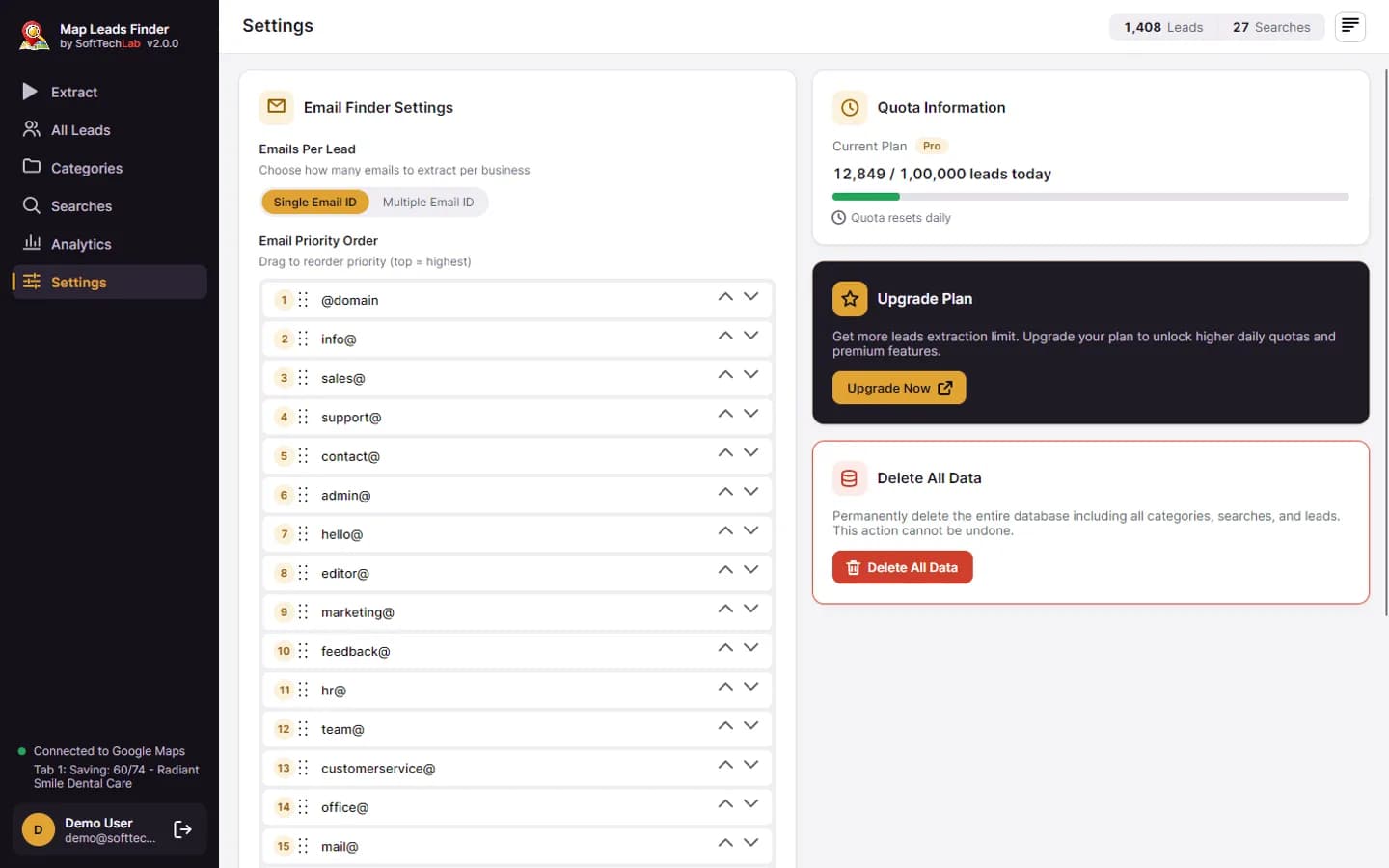
The best Google Maps scraper and leads extractor to extract business leads from Google Maps with phone numbers, emails, websites, ratings, and addresses. Generate leads for sales outreach and marketing campaigns.

- Windows 10/11
- Operating System
- ~150 MB
- File Size
- v2.0.0
- Version
- 200/day
- Free Quota
64-bit compatible
Quick installation
Latest release
Free plan
Google Maps scraper tutorial
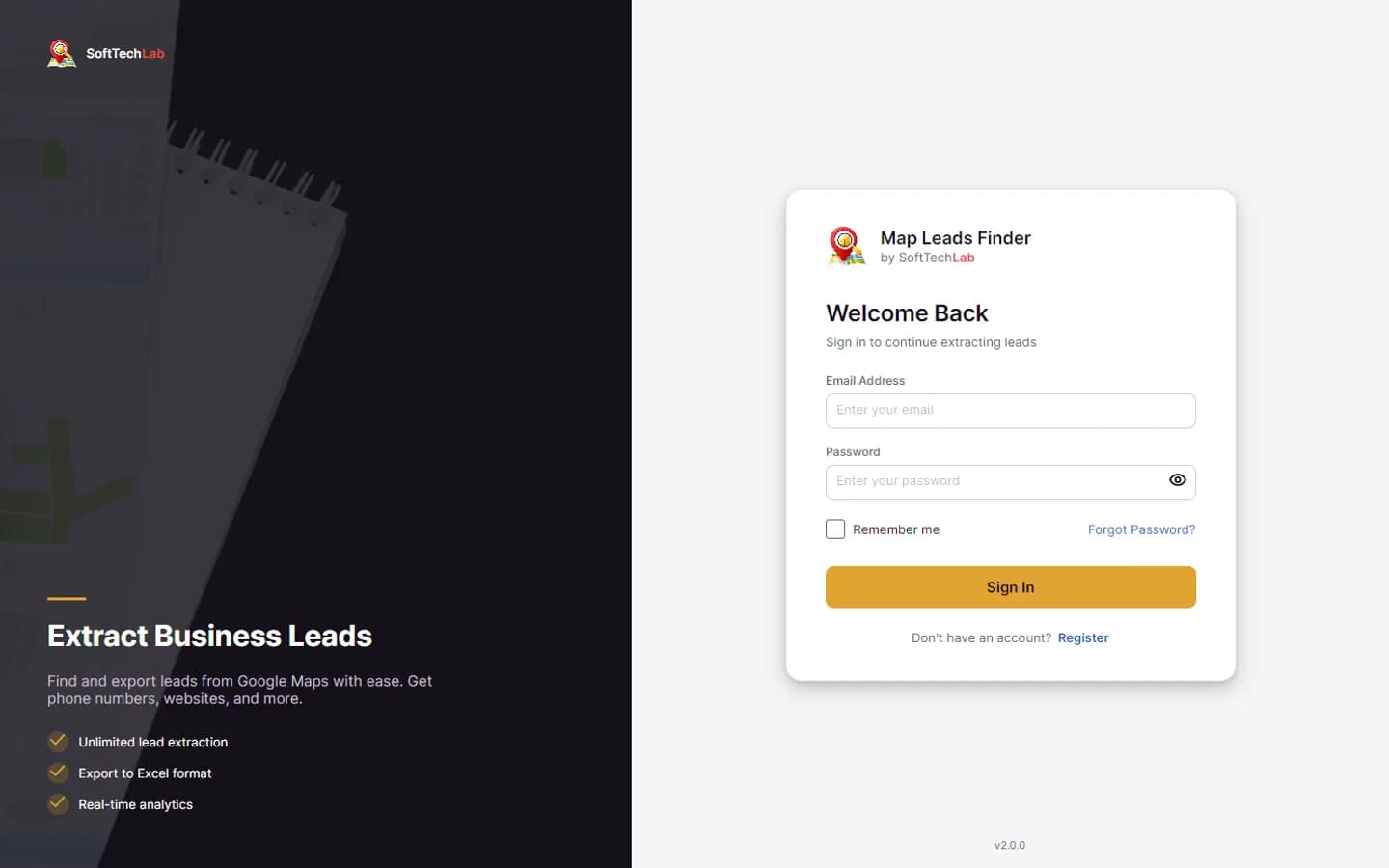
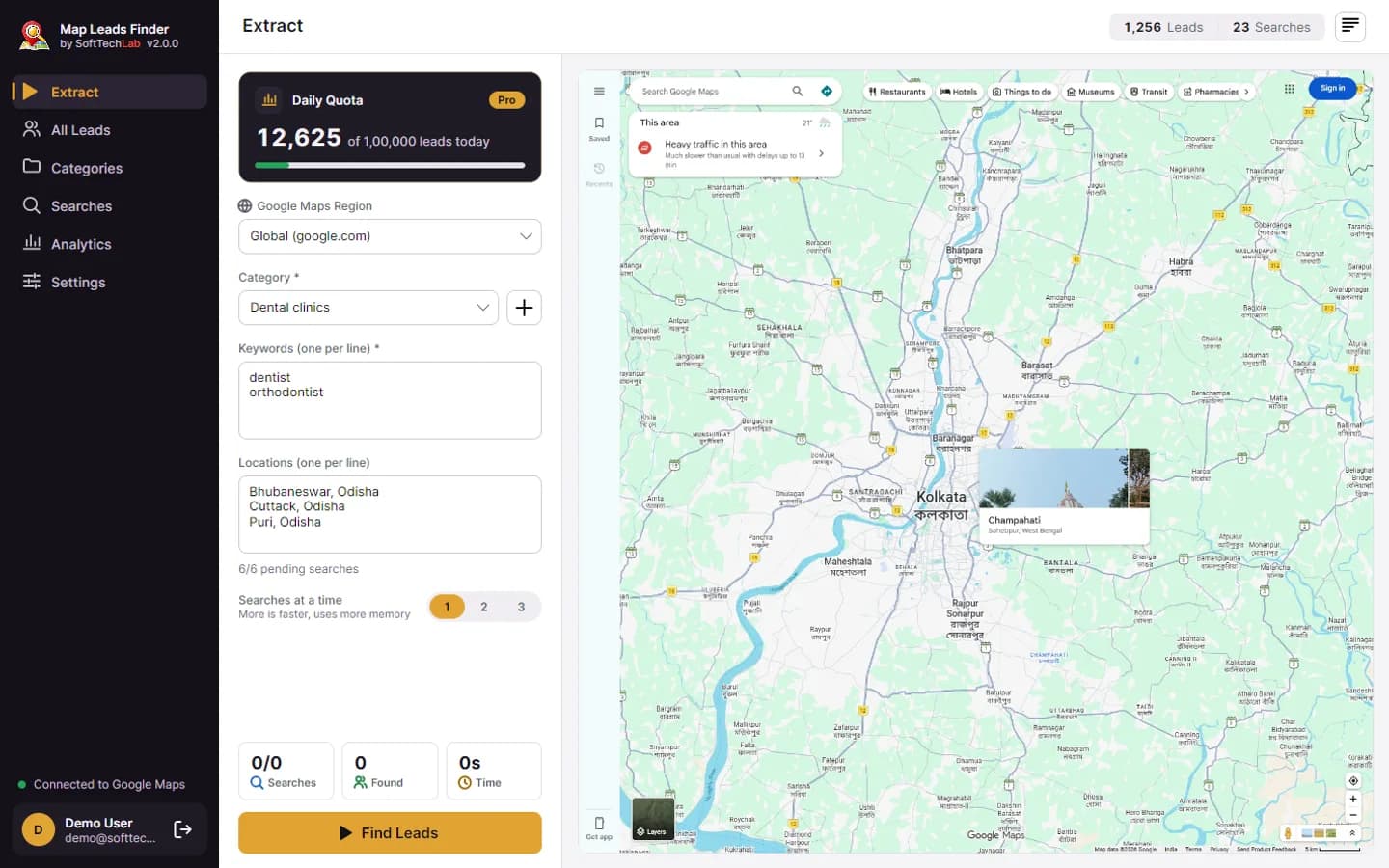
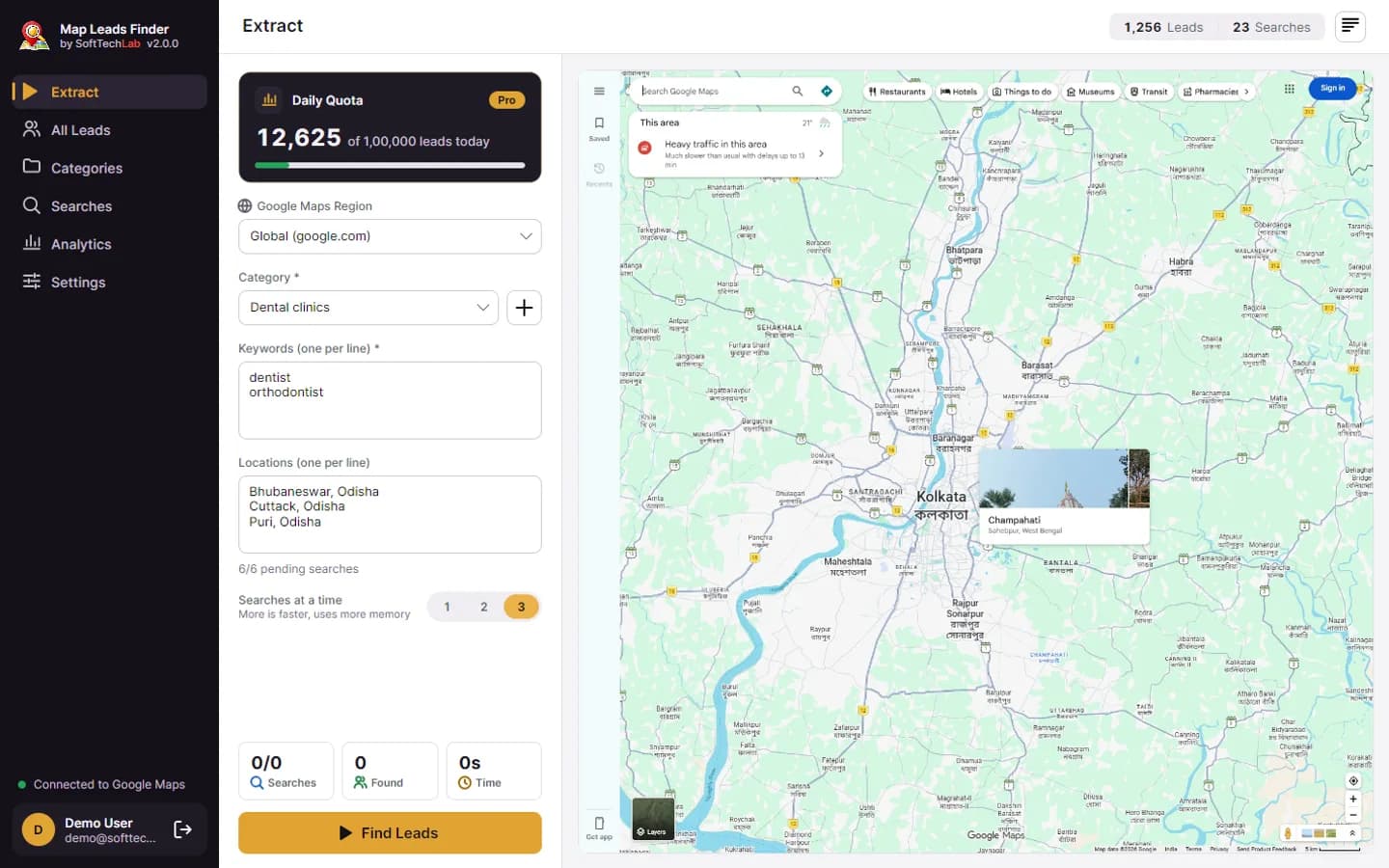
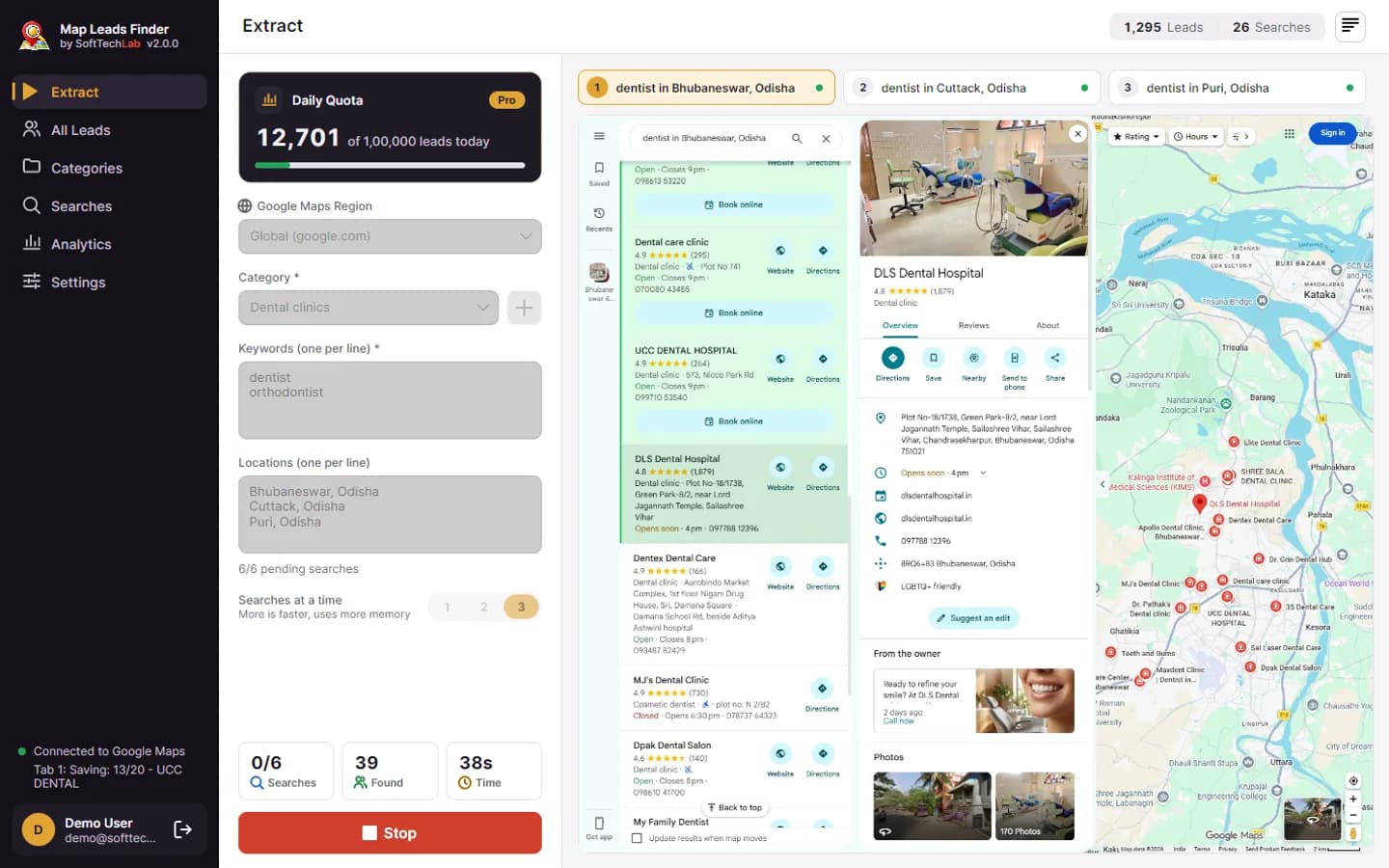
Watch the app find, filter and export business leads from Google Maps, from sign-in to analytics. Pick a chapter to jump to it.
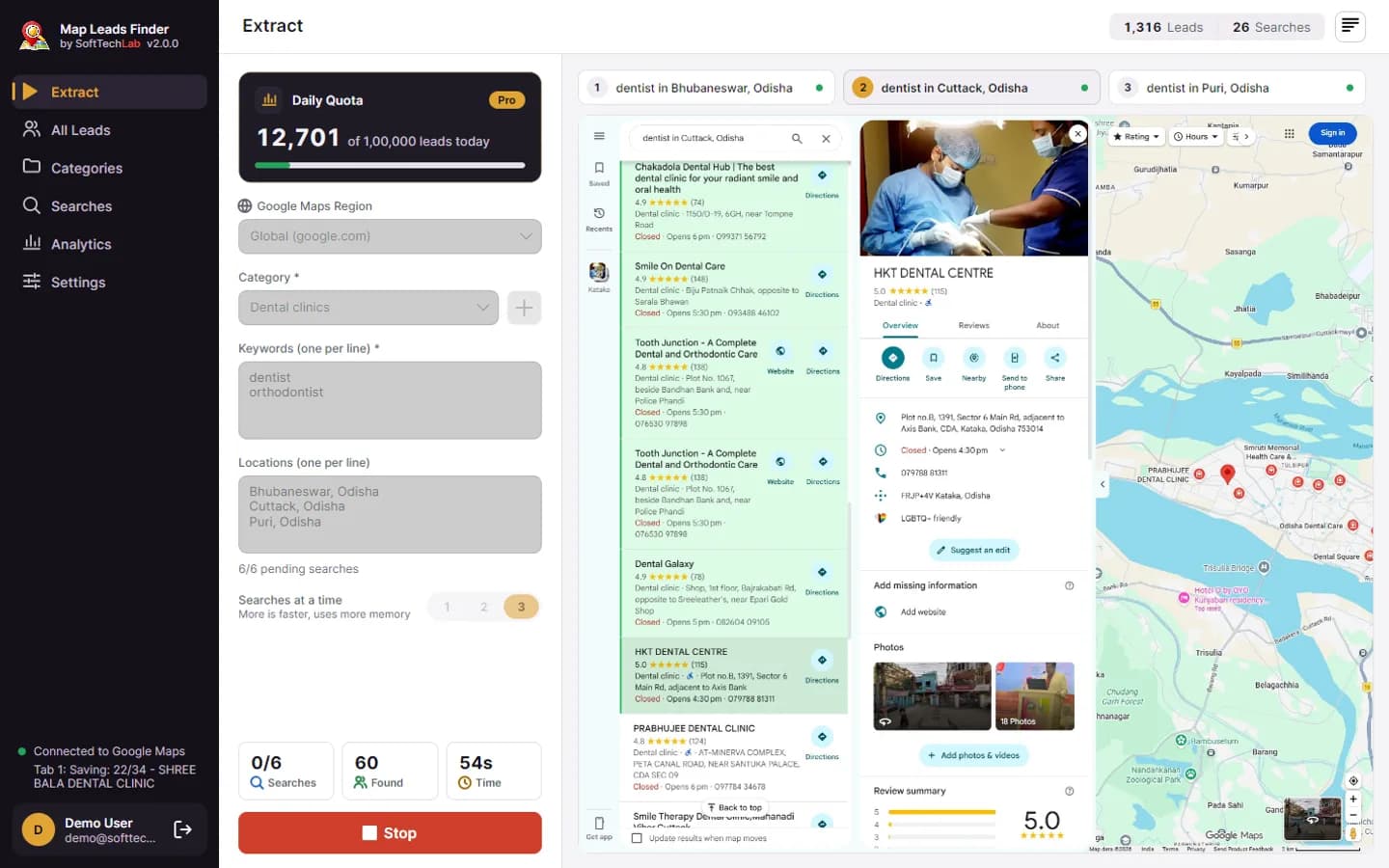
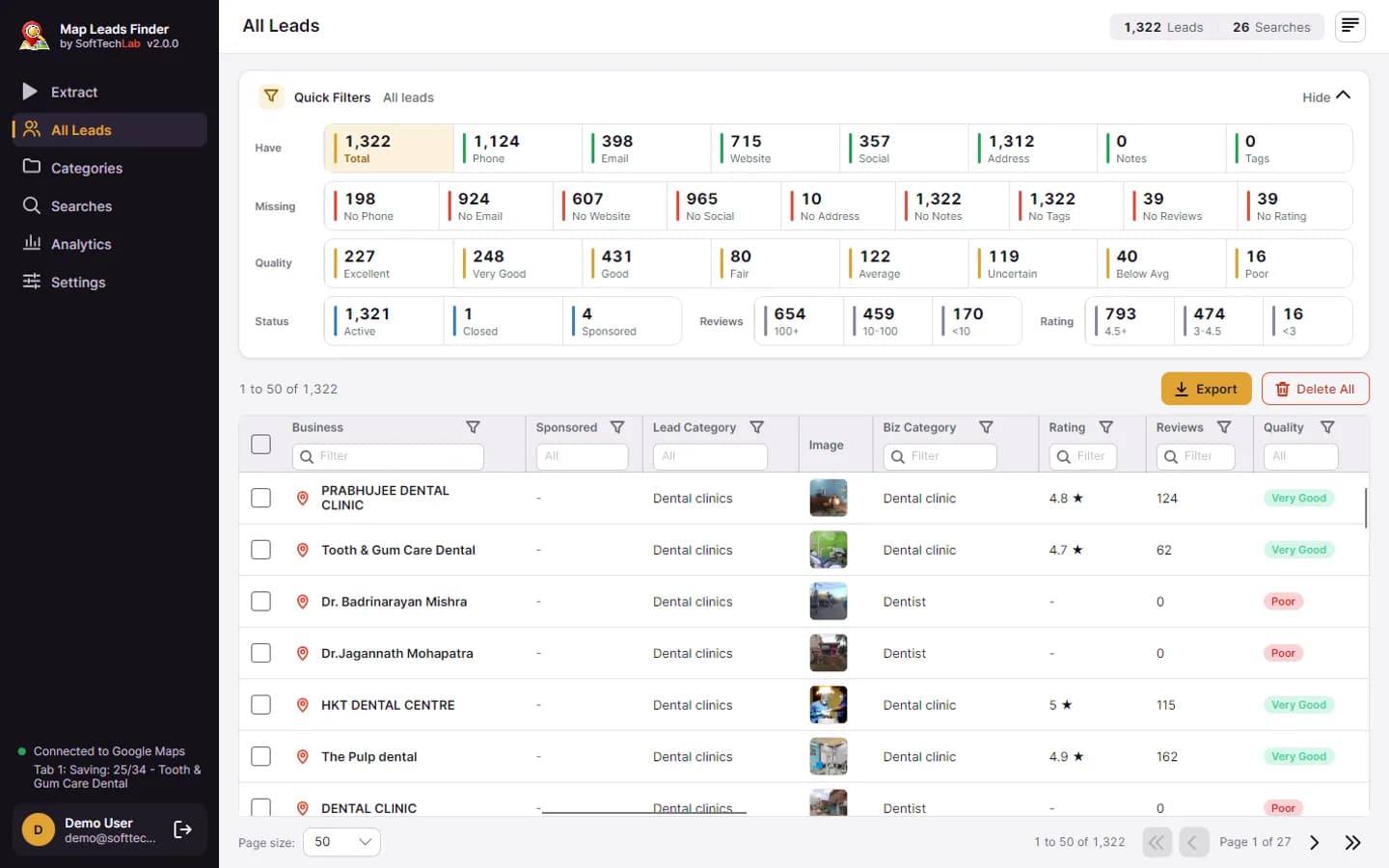
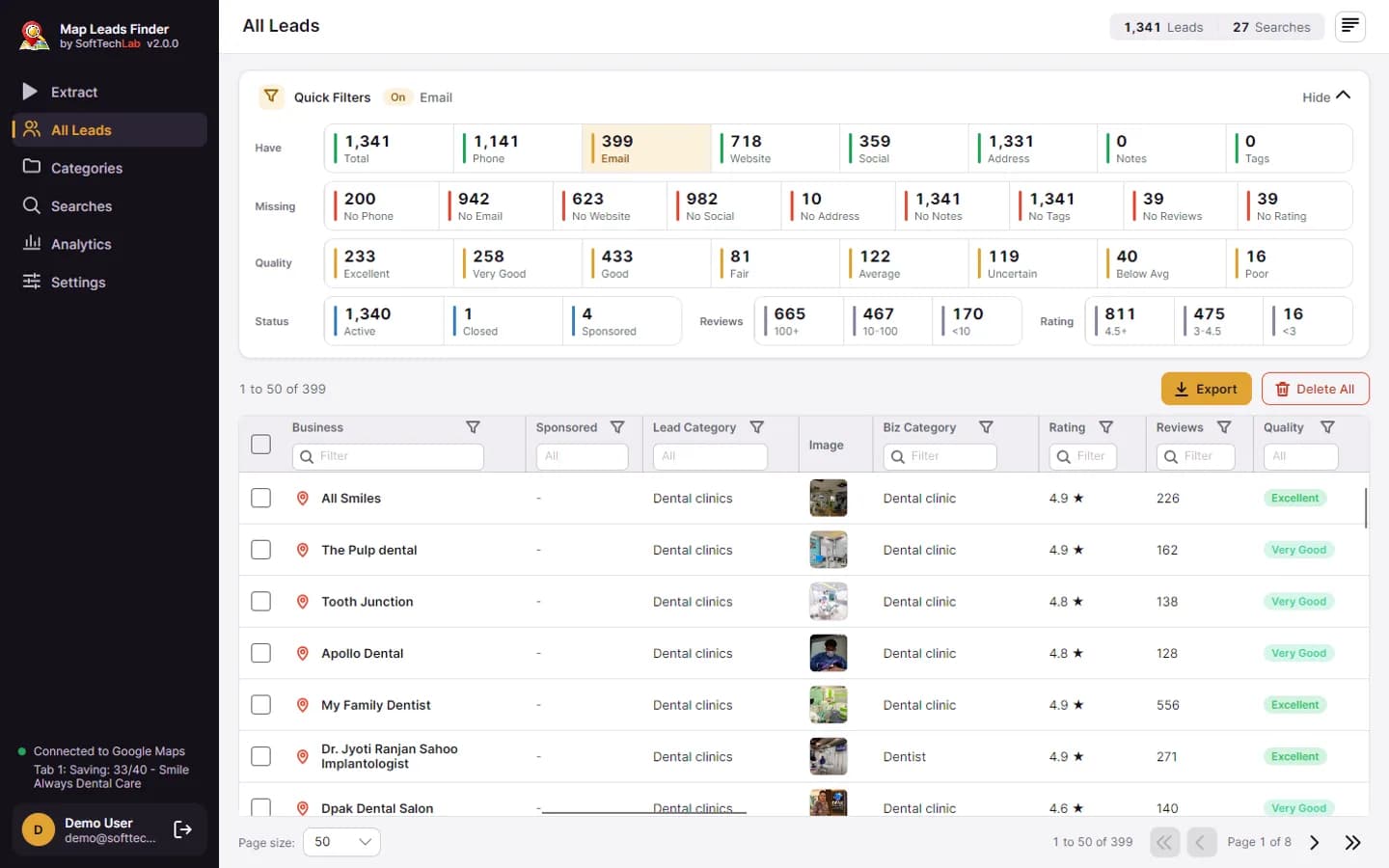
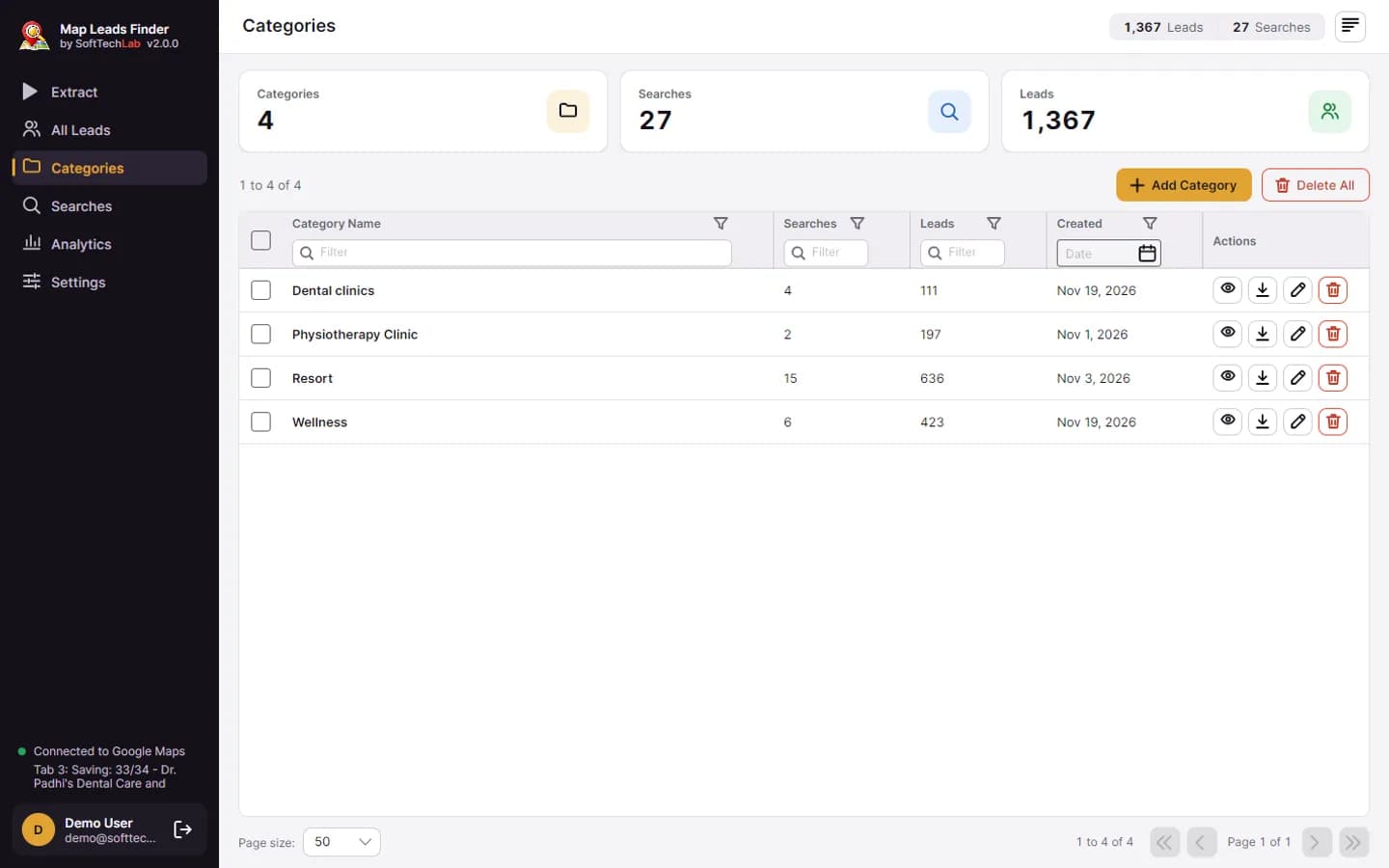
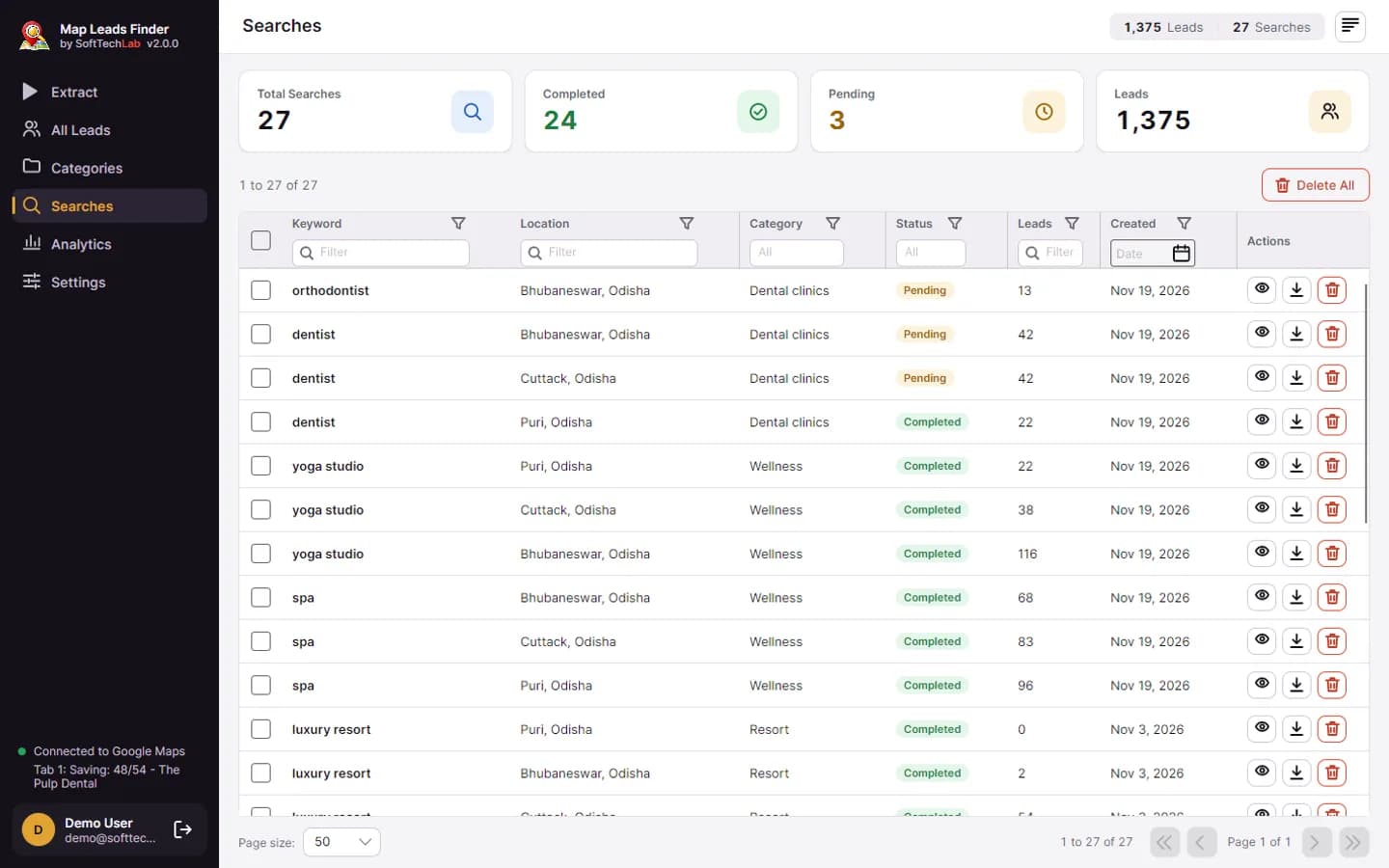
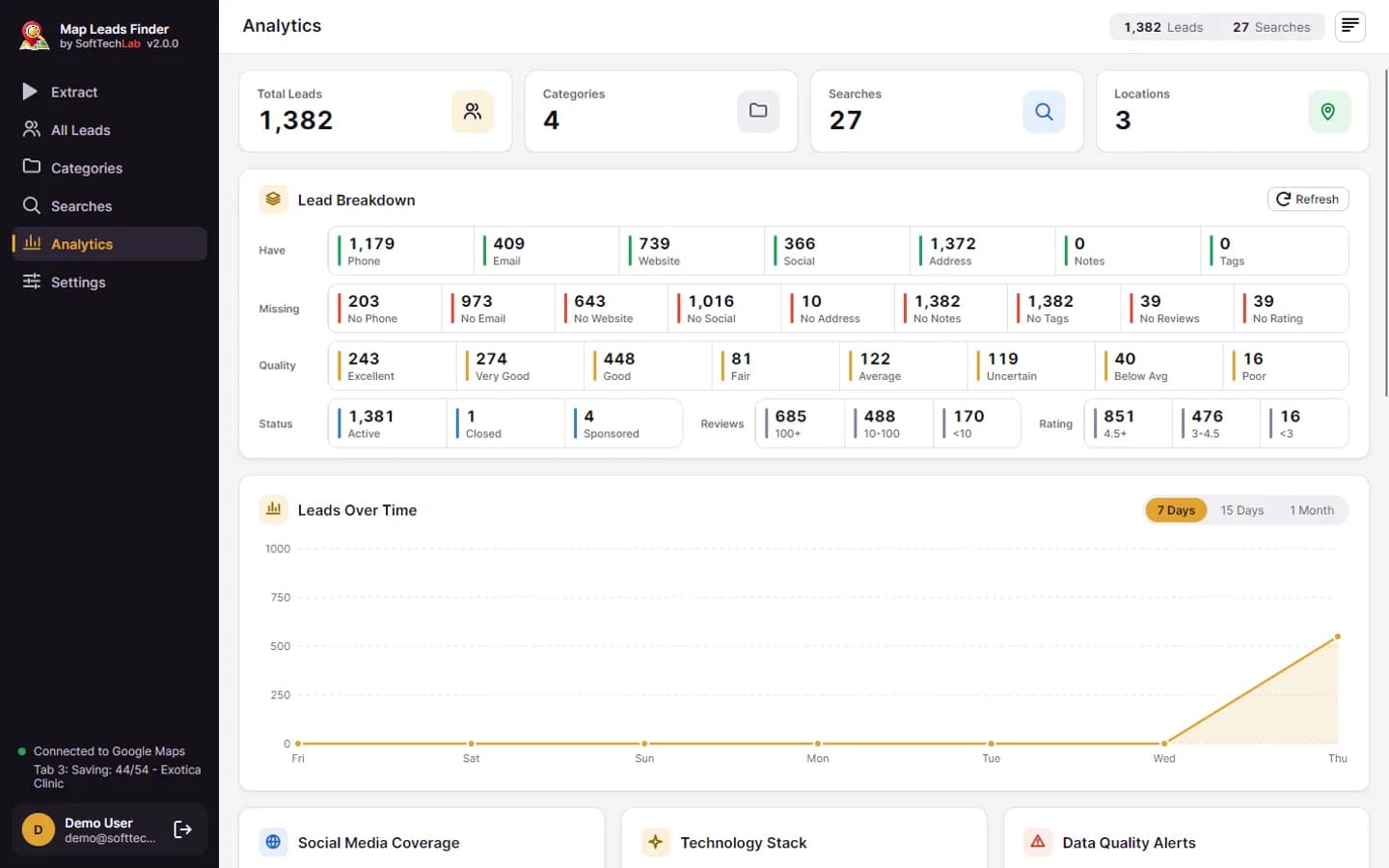
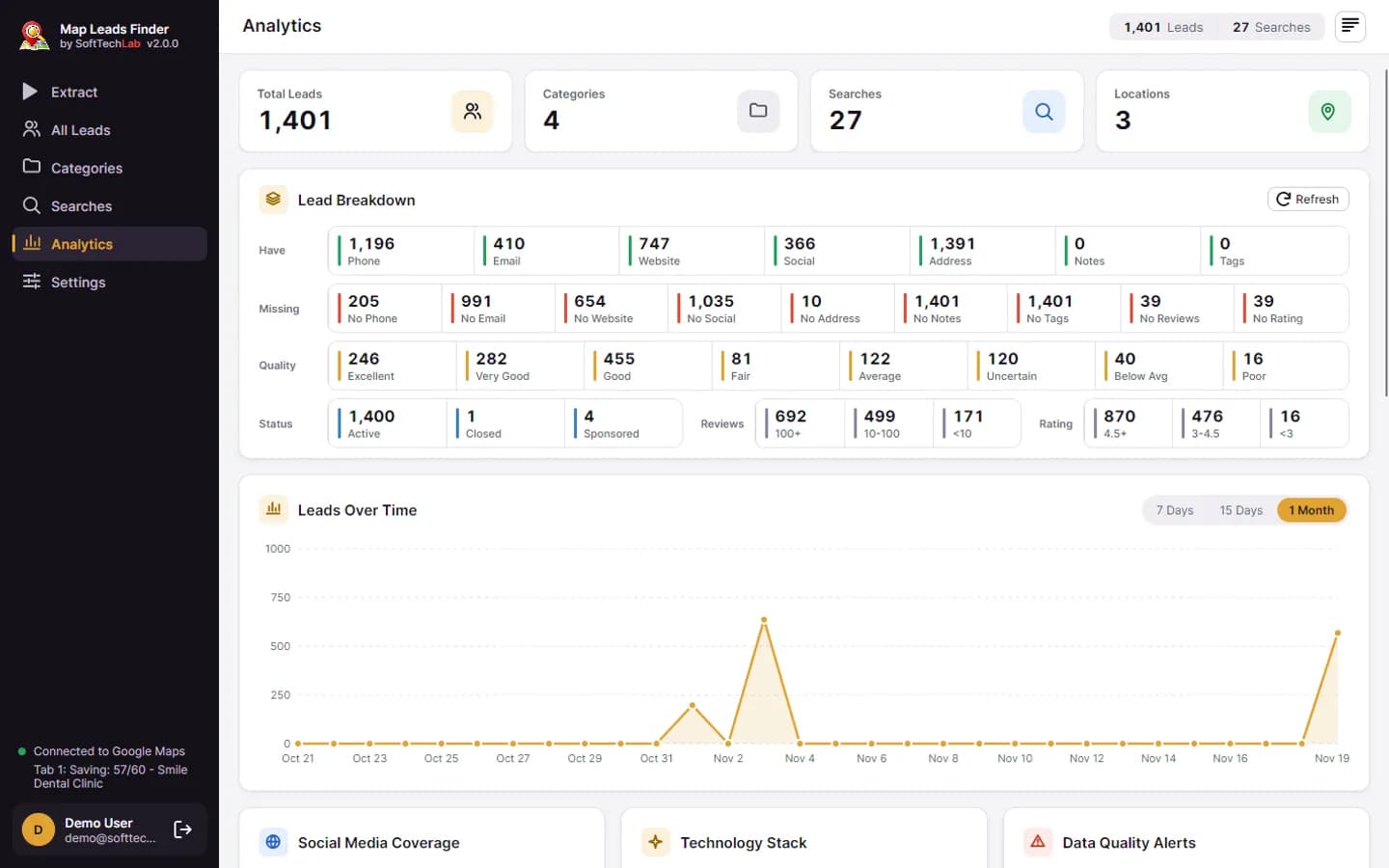
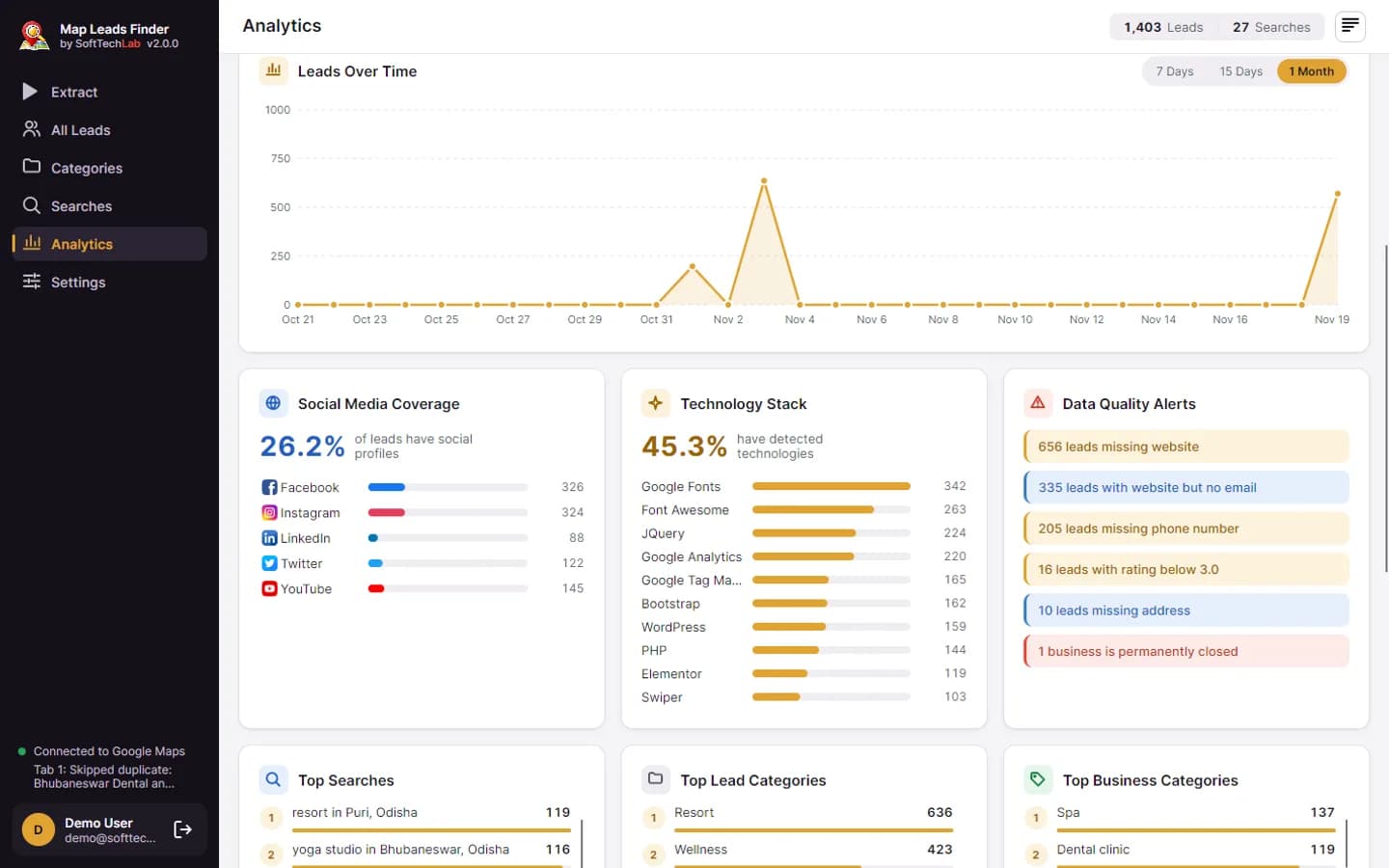
What the Google Maps scraper extracts
Comprehensive business data extracted directly from Google Maps by our leads extractor
Generate Google Map leads in 4 simple steps
Install & Sign In
Download the app, install it, and sign in with your free SoftTechLab account.
Search Keywords
Enter business types and locations (e.g.,"plumber in New York") to search Google Maps.
Extract Leads
Click "Find Leads" and watch business data arrive in real time, up to 3 searches at once.
Export & Use
Export your leads to Excel for sales outreach, email campaigns, and more.
Powerful Google Map leads generator features
Everything you need to scrape Google Maps and generate high-quality business leads
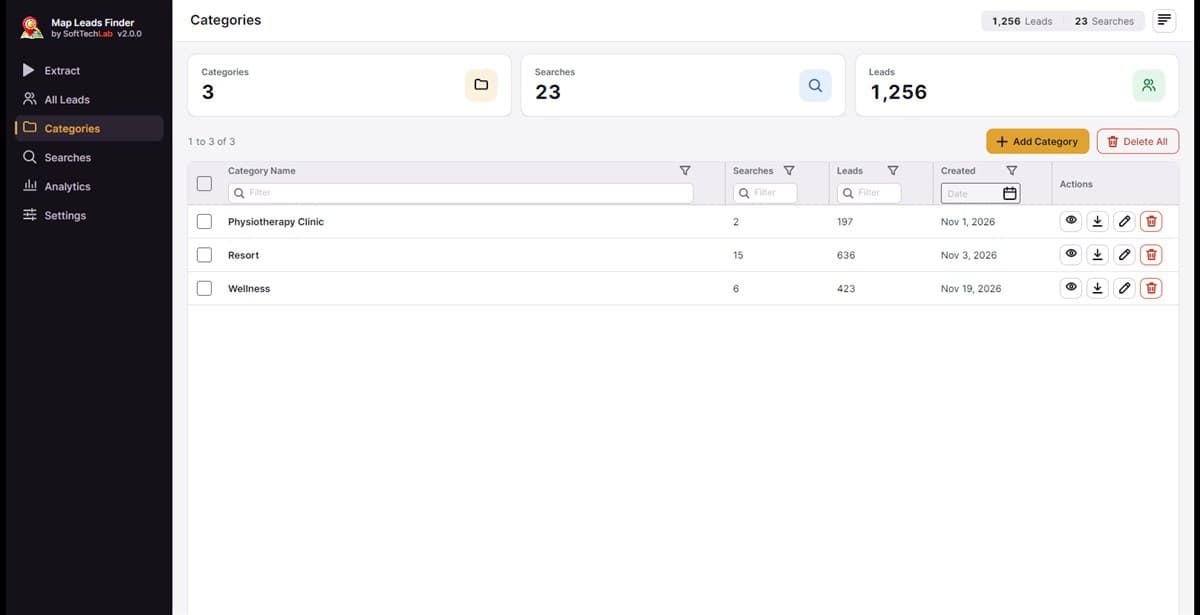
Fast Extraction
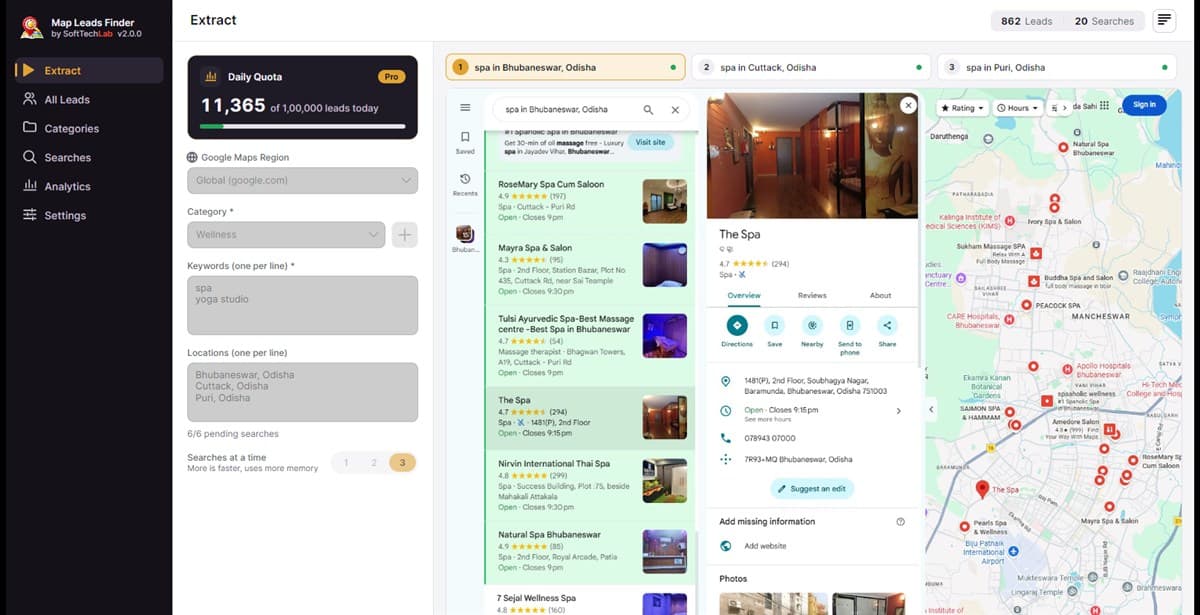
Run up to 3 searches at the same time and extract hundreds of business leads in minutes.
Works in the Background
Keeps extracting when the app is minimized, in the system tray, or your screen is locked.
Privacy First
All data is stored locally on your computer. Your leads never pass through external servers.
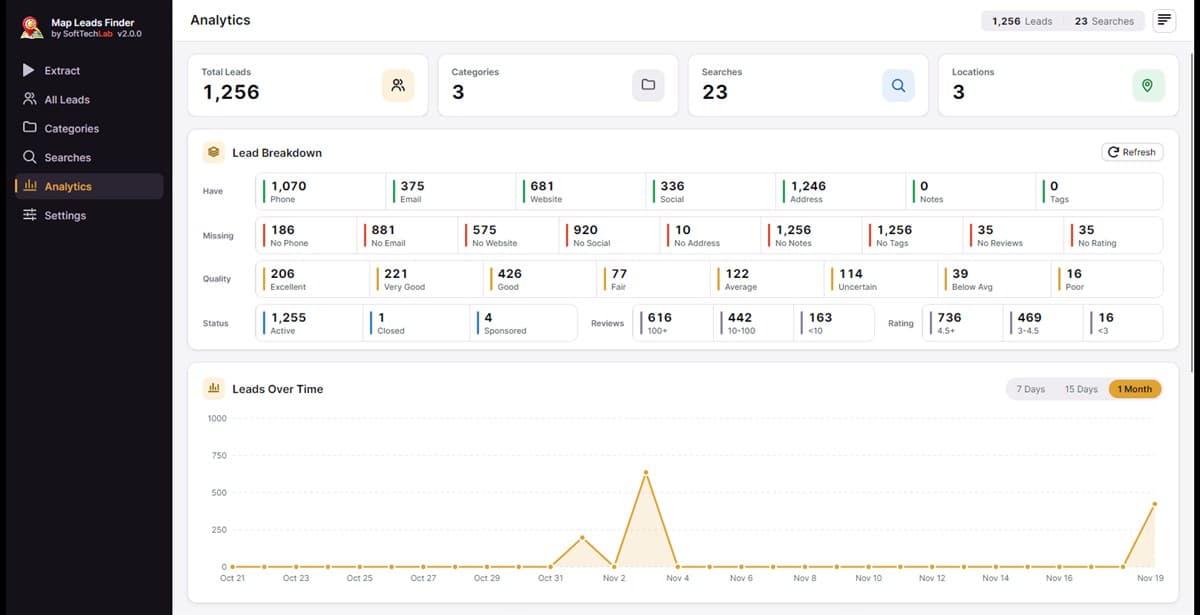
Smart Analytics
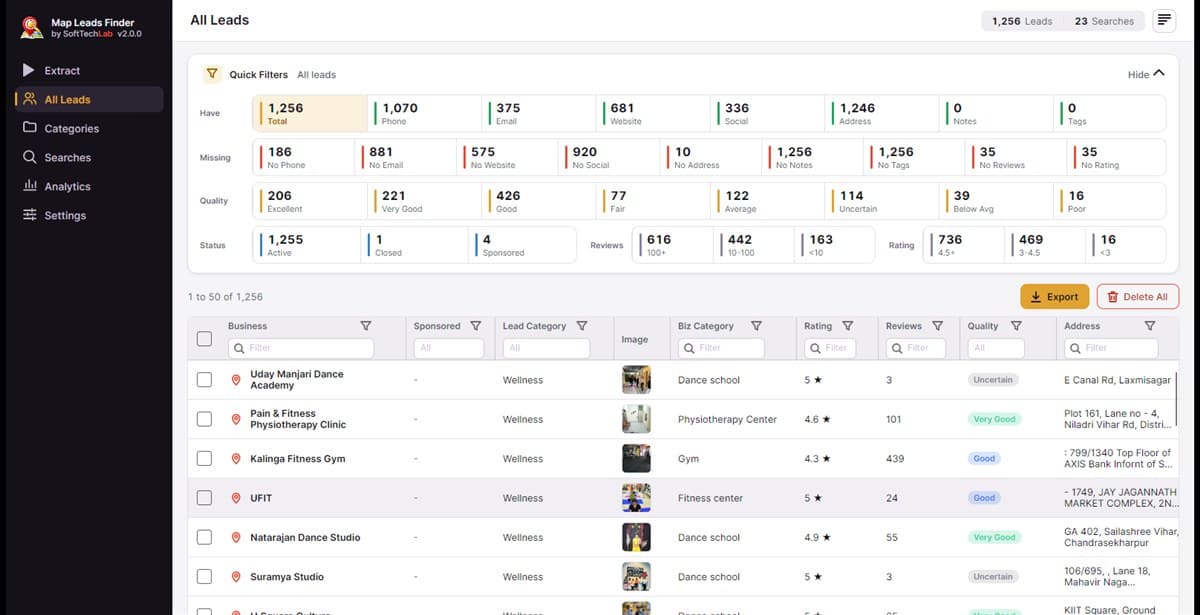
Track your extraction performance with built-in analytics, quality scores, and detailed statistics.
Google Map Leads Finder pricing
Start with 200 free leads per day. Upgrade to Pro for 100,000 leads per day from the Google Maps scraper.
Free Plan
200 leads per day
- Extract leads from Google Maps
- Phone numbers and addresses
- Built-in email finder
- Website and social media links
- Ratings and review counts
- Category-based organization
- Export to Excel (.xlsx)
- Analytics dashboard
- Duplicate detection
- Auto-updates included
- Tags and notes per lead
- Multi-keyword batch search
- Up to 3 searches at once
- Works when minimized or locked
Pro Plan
Best Value100,000 leads per day
- All Free plan features
- 100,000 leads per day
- Priority support
- Custom quota configuration
Frequently asked questions.
Everything you need to know about Google Map Leads Finder
Google Map Leads Finder is a powerful Google Maps scraper and leads extractor desktop application that extracts business leads from Google Maps including phone numbers, emails, websites, ratings, reviews, addresses, and social media profiles.
This Google Maps scraper can extract business names, phone numbers, email addresses, websites, street addresses, ratings, review counts, business categories, social media profiles, and Google Maps URLs.
Yes, the Google Map Leads Finder offers a free plan with 200 leads per day. Upgrade to the Pro plan for 100,000 leads per day. No credit card required to get started.
The Google Map leads extractor searches Google Maps for your target keywords and locations, scrapes all business listings, and extracts their contact details including phone numbers, emails, and websites automatically.
Yes, the Google Map leads generator supports multi-keyword and multi-location batch search. Enter multiple keywords and locations, and the app generates all combinations and extracts leads for each search query.
Yes. On the Extract page, choose 1, 2 or 3 searches at a time. Each search gets its own live map tab, the next search starts by itself when one finishes, and a business found by two searches is saved only once.
Yes. Extraction keeps running when you minimize the app, close it to the system tray, switch to another program or lock your screen.
When you open the app again, it offers to resume where it stopped. Leads already saved are kept and never added twice.
Google Map Leads Finder is a Windows desktop application compatible with Windows 10 and Windows 11 (64-bit).
After extracting business leads with websites from Google Maps, the built-in email finder visits each website to discover contact email addresses, phone numbers, social media profiles, and contact forms.
The data is extracted directly from Google Maps in real-time, ensuring high accuracy. Email addresses are verified through our Web Email Finder technology.
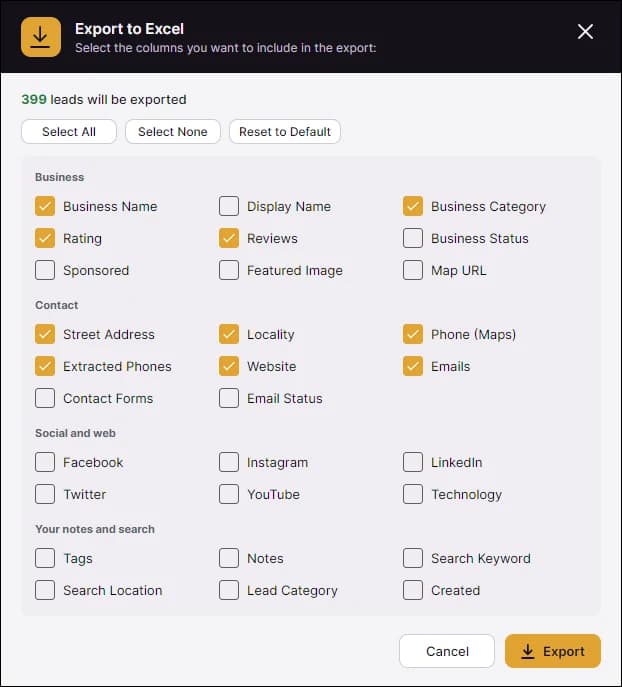
You can export your leads to Excel (.xlsx) from the All Leads tab. You can select which columns to include and filter or sort leads before exporting.
Yes. The app checks for a new version when it starts and once a day. It downloads the update in the background, waits until any extraction has finished, backs up your leads, then installs it and restarts. Your leads and settings are kept.
Download and run the new installer. It replaces the older version and keeps your leads, categories, searches and login.
Ready to extract Google Map leads?
Download Google Map Leads Finder and start scraping business leads from Google Maps today. 200 free leads per day. Upgrade to Pro for 100,000 leads per day.